
When it comes to connecting displays or projectors to video and data sources, nothing beats a good cable for reliability. But does this mean wireless connectivity should be ignored? Not really.
Why should I use cables?
When installing a system including a projector, television or digital display, it is always recommended to install good quality cables, regardless of whether you plan to use wireless connectivity or not.
Good cables provide a reliable signal without lag; they don't suffer as much with intereference, they can be hidden from view for the most part and they don't require any special setting up when connecting any new device.
If you choose to use a wireless connection, cables are still a good backup in case something goes wrong or a new device is not compatible with your equipment.
If you need help choosing the right cables for your system, check out our cables guide here or contact us for advice.
Does this mean wireless is a bad solution?
Absolutely not!
When wireless connectivity first appeared on projectors some years ago, it wasn't great to say the least. It had serious limitations and at best, you could have projected a PowerPoint slideshow wirelessly (without animated transitions!), but projecting a video was not an option.
Fast forward to today and wireless connectivity has improved dramatically. With the right equipment and in a suitable environment, you can now transmit signals up to 4K without a cable in sight.
There are still some limitations as wireless signals can struggle with physical barriers such as walls, floors and ceilings or metal objects, and they can suffer from interference from other wireless devices or appliances such as microwaves.
That being said, within one room in a typical office, classroom or home environment, wireless is now a good, viable option.
What equipment do I need for wireless connectivity?
There are several options available depending on the display and source used.
If you want to connect a computer to a projector or display, you can either use a wireless network connection or a wireless extender.
A few projectors such as the Epson EB-2255U have wireless LAN connectivity in-built, while many more models have optional wireless LAN adapters available to allow you to connect your projector to your WiFi network or laptop without needing extra cables.
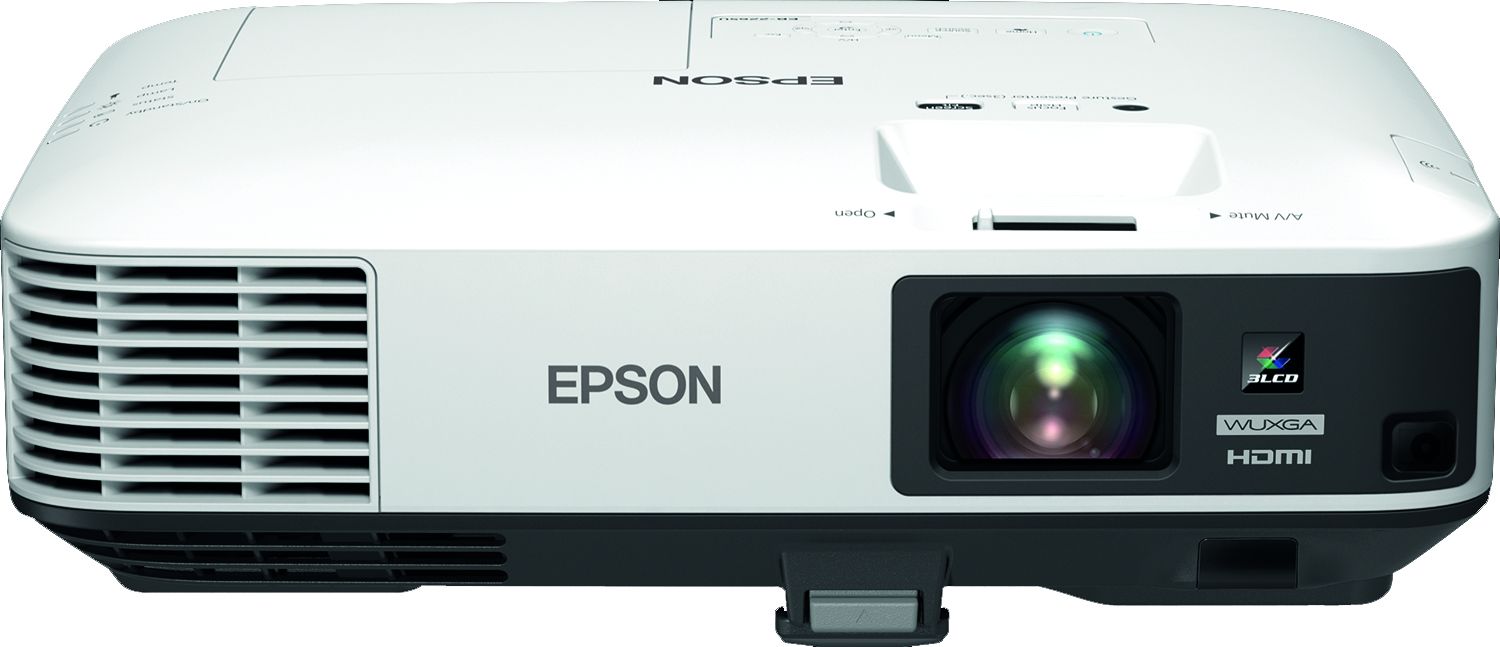
Some models even allow you to connect wirelessly to a smart device (e.g. smartphone or tablet) and project documents and photos via an app, or even use screen mirroring.
If you don't have a wireless network or if you want to connect a video source such as a Bluray player, you can use a wireless HDMI extender.
Wireless HDMI extenders usually consist of a transmitter which connects to the HDMI output of the source, and a receiver which connects to the HDMI input of your projector, television or display.
There are several options on the market with various specifications. Some extenders will only send signals up to full HD or over lower distances, while others like the Celexon WHD30M-4K will transfer signals up to 4K UHD (3840 x 2160) up to 30m away.
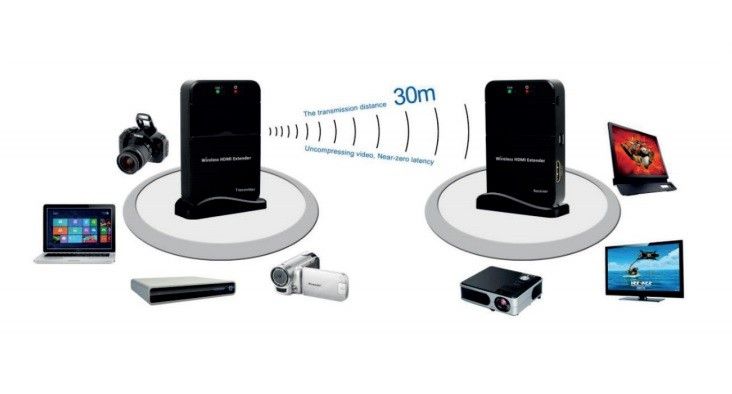
When choosing a wireless HDMI extender, check that it is capable of supporting the resolution you need.
If you need advice on the best setup for your system or need help choosing the right cable or wireless extender, call us on 01924 278464 and we'll be happy to help.
